Bitrix24 overview for beginners
Bitrix24 overview for beginners: a simple start in a CRM and business automation without complex terms or technical settings.
A simple start into the world of CRM and business automation.
If you already have a business or are just about to start one, Bitrix24 can be an indispensable assistant in organising processes, communications and automation. It’s not just a CRM — it’s a whole ecosystem that gathers tools for task management, communication, client work and, of course, integrations with popular messengers like WhatsApp and Telegram. Let’s unpack what Bitrix24 is and how even beginners can use it effectively.
What is Bitrix24?
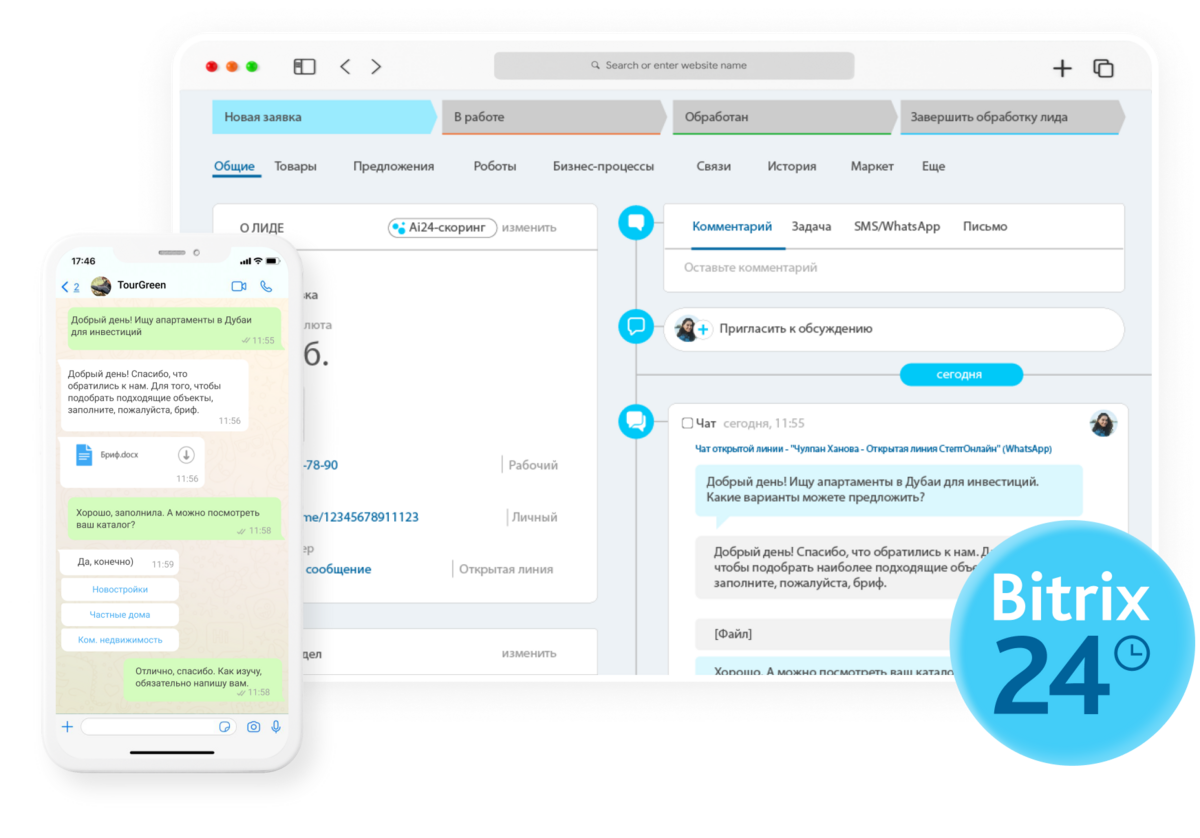
Bitrix24 is a cloud-based CRM system and set of collaboration tools. It helps organise interaction between staff, automate processes, manage the client base, tasks and projects. This platform is a great fit for both small and mid-sized businesses because it combines CRM, planner, analytics tools and a whole set of integrations.
Bitrix24’s core capabilities include:
- CRM for client work — all client information is stored in one place, including deal history, contact details and correspondence.
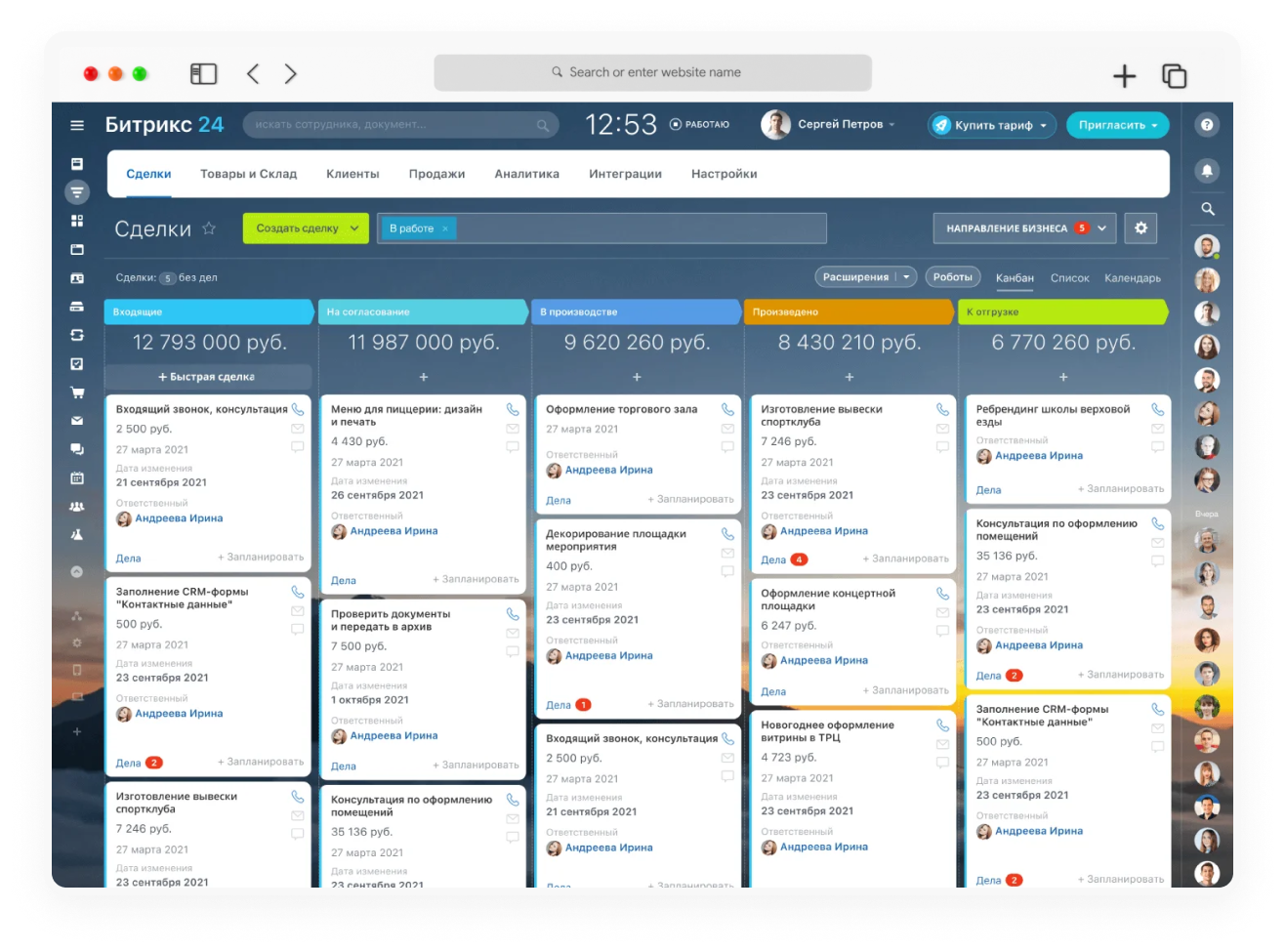
- Task and project management — you can easily distribute tasks between staff, track progress and set priorities.
- Communication and internal social network — built-in chats, calls and a “live feed” help keep the team connected.
- Automation and integrations — lots of built-in integrations that extend the system’s capabilities and connect it to other useful services.
Why is Bitrix24 popular?
System advantages
Users like Bitrix24 because it simplifies work across several directions at once. Its functionality lets you combine in one place all tasks, processes and communication channels — from client correspondence to creating reports and sales analysis. You can forget about constantly switching between different programs, since Bitrix24 gathers everything you need in one system.
Here are the main reasons for Bitrix24’s popularity:
- All tools at hand. CRM, project management, reports, marketing campaigns, client interaction — all in one platform.
- Process automation. Bitrix24 helps free staff from routine, automating repetitive tasks and reminders.
- Flexible configuration. Suits companies of different sizes and sectors since it lets you adapt the workflow to specific needs.
- Many integrations, including with messengers, social networks and advertising platforms.
Integrations with WhatsApp and Telegram:
direct communication with clients
Integrations with messengers are one of Bitrix24’s most sought-after advantages — today clients prefer fast and convenient communication through their favourite apps. WhatsApp and Telegram are ideal channels for instant communication, and Bitrix24 makes their use simple and convenient. Let’s look at how these integrations work.
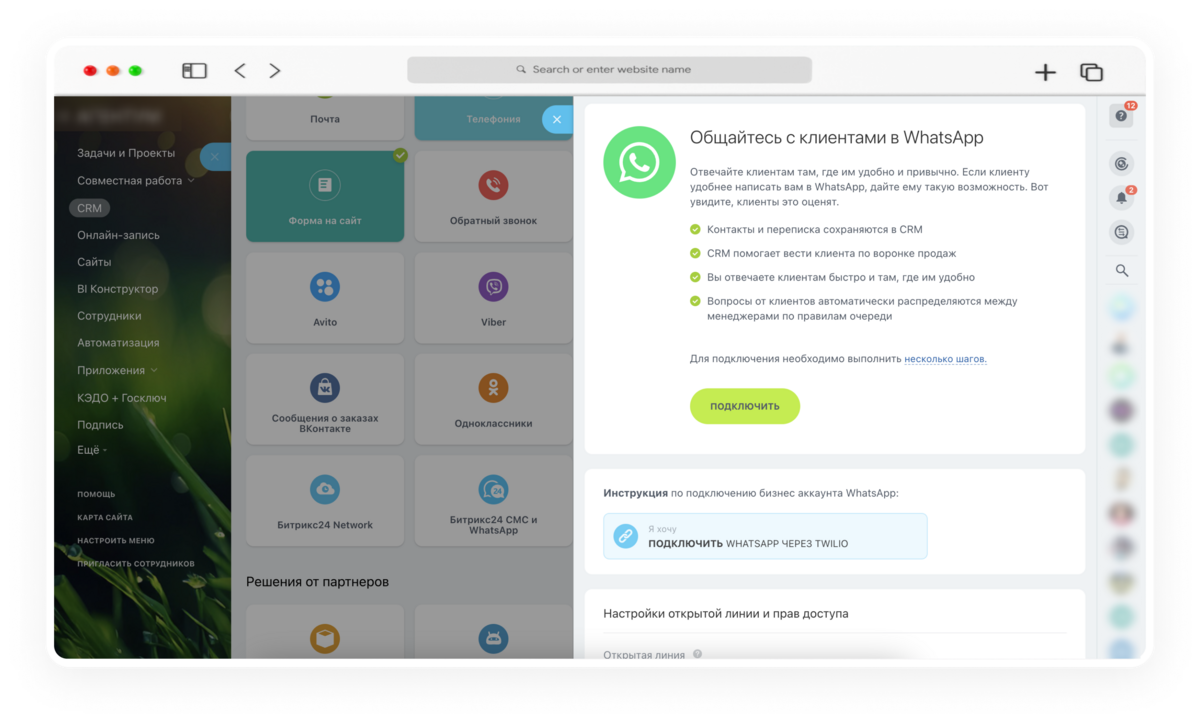
WhatsApp is one of the most popular messengers, especially in client service. Bitrix24 lets you integrate WhatsApp through several options — for example, via WhatsApp Business API or through third-party services.
The integration lets you correspond with clients right from the CRM:
- Convenient correspondence. All messages from the client land straight in the CRM, where they can be handled by a rep.
- Communication history. All correspondence with the client is saved in the CRM, and if needed you can quickly return to the right conversation.
- Automatic replies. You can set up chatbots and automatic greeting messages, which speeds up reaction to client requests.
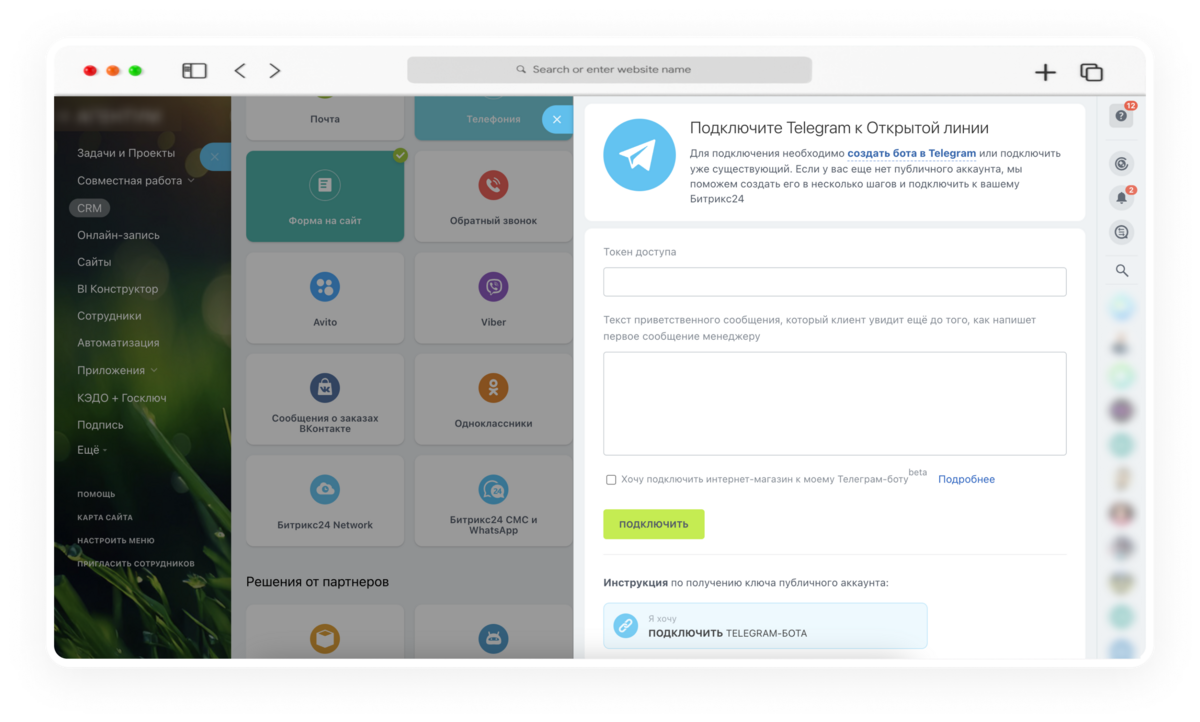
Telegram has also become a favourite channel for communication both with clients and within the team. Telegram integration in Bitrix24 lets you connect a bot or a channel to manage client communication right from the system:
- Fast handling of requests. Messages from Telegram arrive instantly in the CRM and can be assigned to a specific staff member for quick response.
- Automatic notifications. The system can send Telegram notifications about important events — for example, when a client leaves a request or a new inquiry comes in.
- Broadcasts and support. Telegram is also great for sending out news, promos and special offers.
First steps in Bitrix24 for beginners
If you’re just starting to explore Bitrix24’s capabilities, here are a few tips on how to quickly settle into the system:
- Set up the CRM. Start by entering client data — that can be an import from a spreadsheet or adding new contacts manually.
- Master tasks and projects. Try creating a test project, assigning tasks and setting deadlines — that gives you an understanding of how to manage work processes.
- Use the internal chat and calls. Start communicating with colleagues via chat, use calls and video to get used to the interface and tools.
- Connect messengers. Setting up WhatsApp and Telegram integrations helps extend the system’s capabilities and build direct contact with clients.
- Play with automation. In Bitrix24 you can set up automatic reminders, tasks and sales scenarios — it’s not hard and it significantly eases managing client processes.
Wrapping up
Bitrix24 is a powerful tool for those who want to simplify and speed up their business processes, uniting tasks and communication in one system. With it you can literally “keep a finger on the pulse” of the business, especially when integrations with popular messengers like WhatsApp and Telegram are set up. That lets you not lose clients and stay in touch 24/7, which is priceless in today’s world.
Getting started with Bitrix24 isn’t hard, and it will really be an excellent solution for any business that wants to optimise its processes and build more effective client interaction.